Ipla (item placer 2)
ipla · 217381 downloads · MIT
client: required · server: required (declared by the mod author)
Place any item on any block side, up to 4 on one side
Description
IPLA
Place your favourite items exactly the way you want Ipla is a decorative Minecraft mod that lets you place almost any item from your inventory directly into the world, with full control over its position, rotation, and orientation. Forget item frames and their strict limits. With Ipla, items become true world objects.
Controls
- V to place item
- Shift + V to place item as 1/4 of a block side
- Alt + Mousewheel to rotate items
- IF CONTROLS NOT WORKING DOWNLOAD MOD THAT ALLOWS MULTIPLE KEYBINDS TO WORK AT THE SAME TIME
Features
- Place items freely on walls, floors, ceilings, or in mid-air
- Rotate and tilt items
- Fine-tune placement using simple controls
- Items stay fixed in place and persist after world reloads
- Hold right click with empty hand to eat food
Endless possibilities!
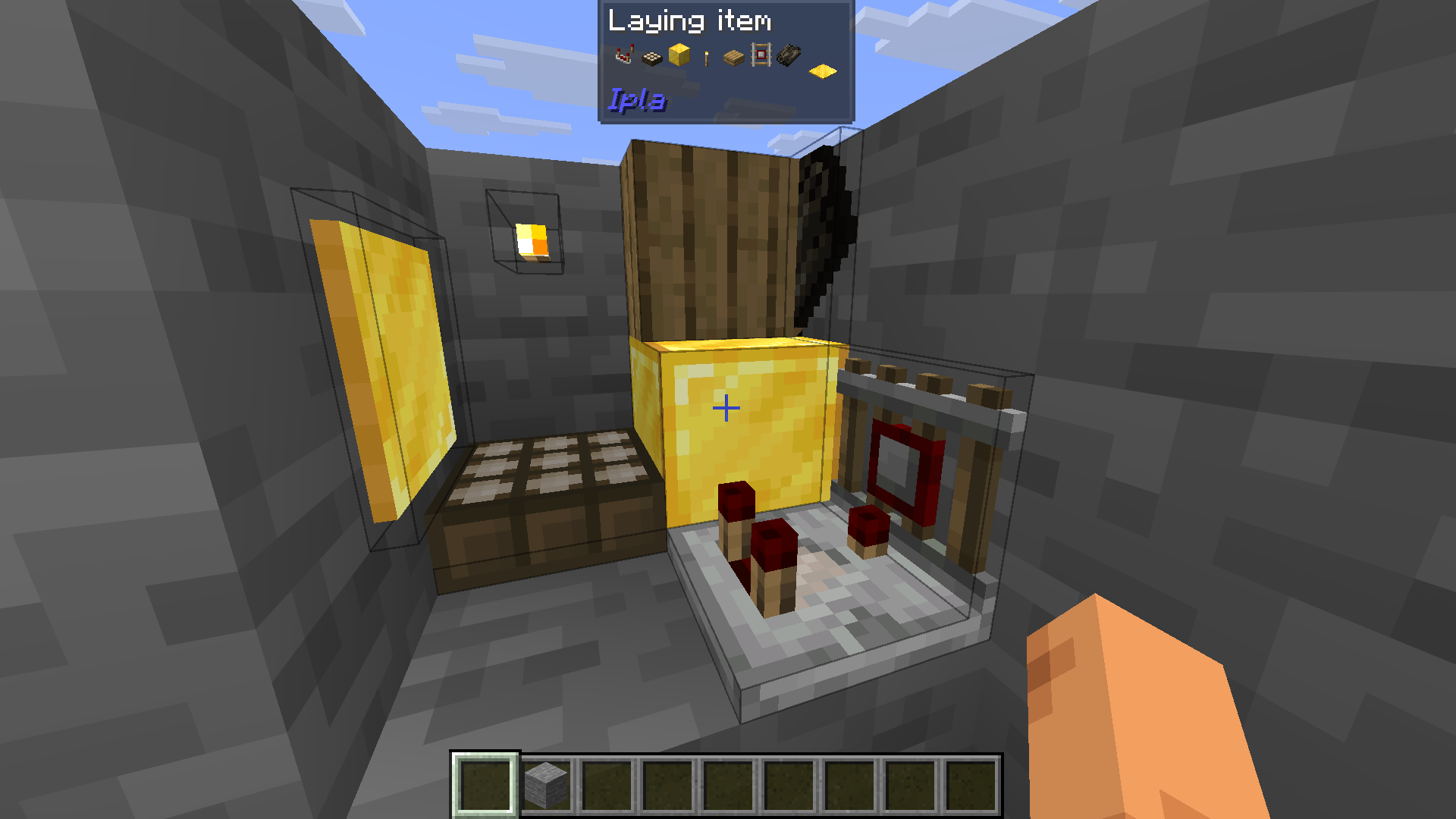 (You can also see that each item has an almost right hitbox)
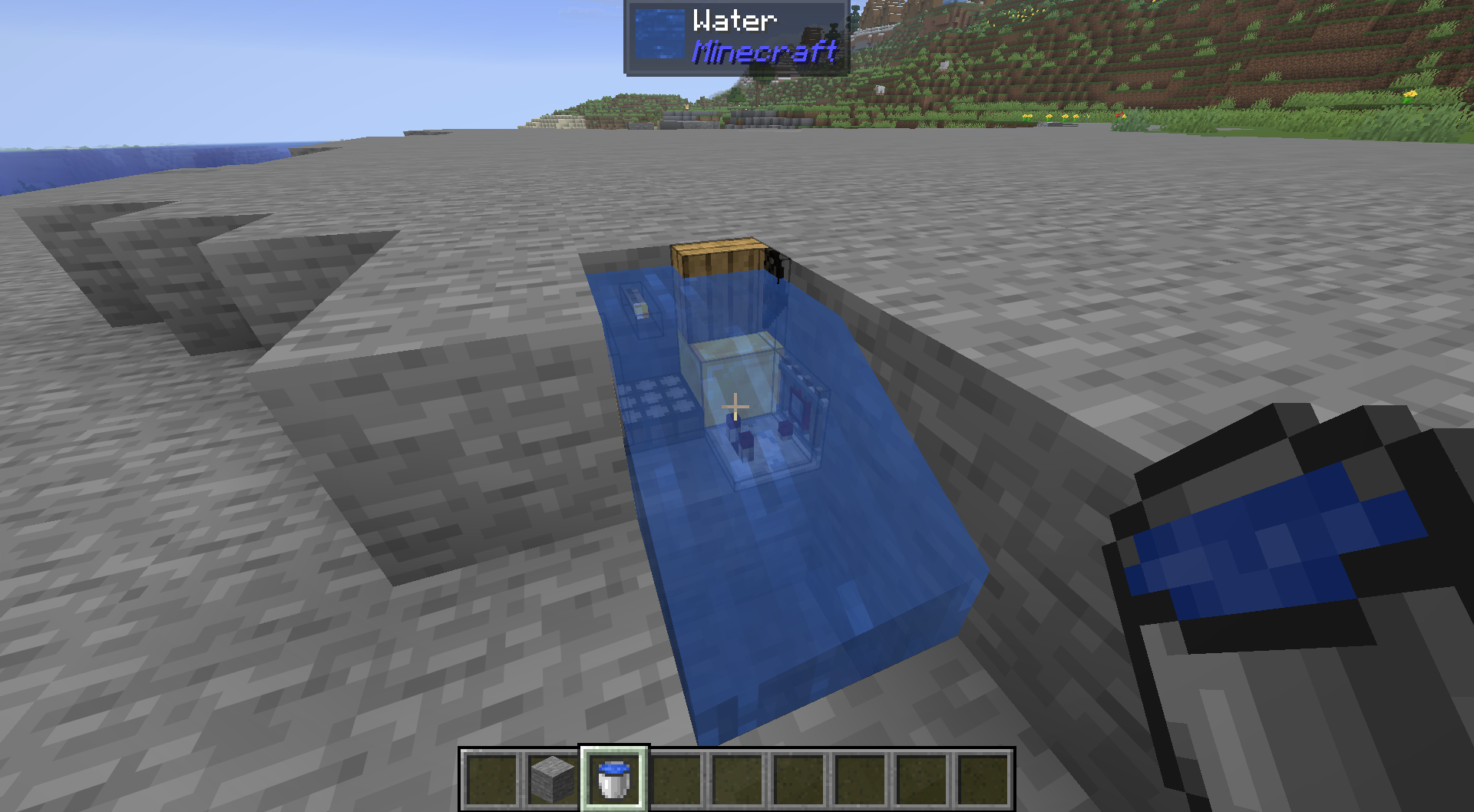
You can also fullfill your waterlogging desires.
Items can emit light.

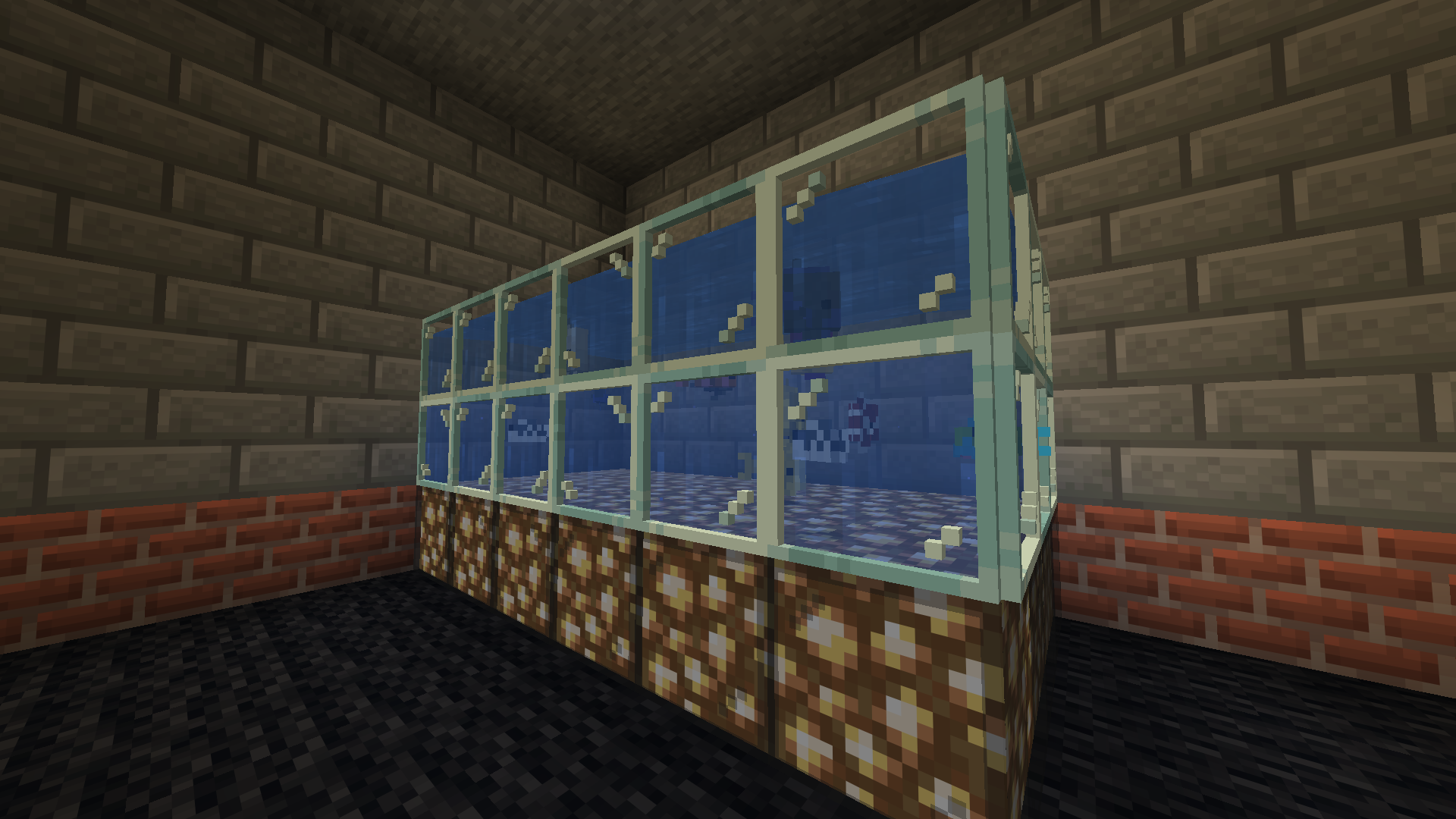
Now you can build a proper fishtank for your sea creatures!
Make a mess!
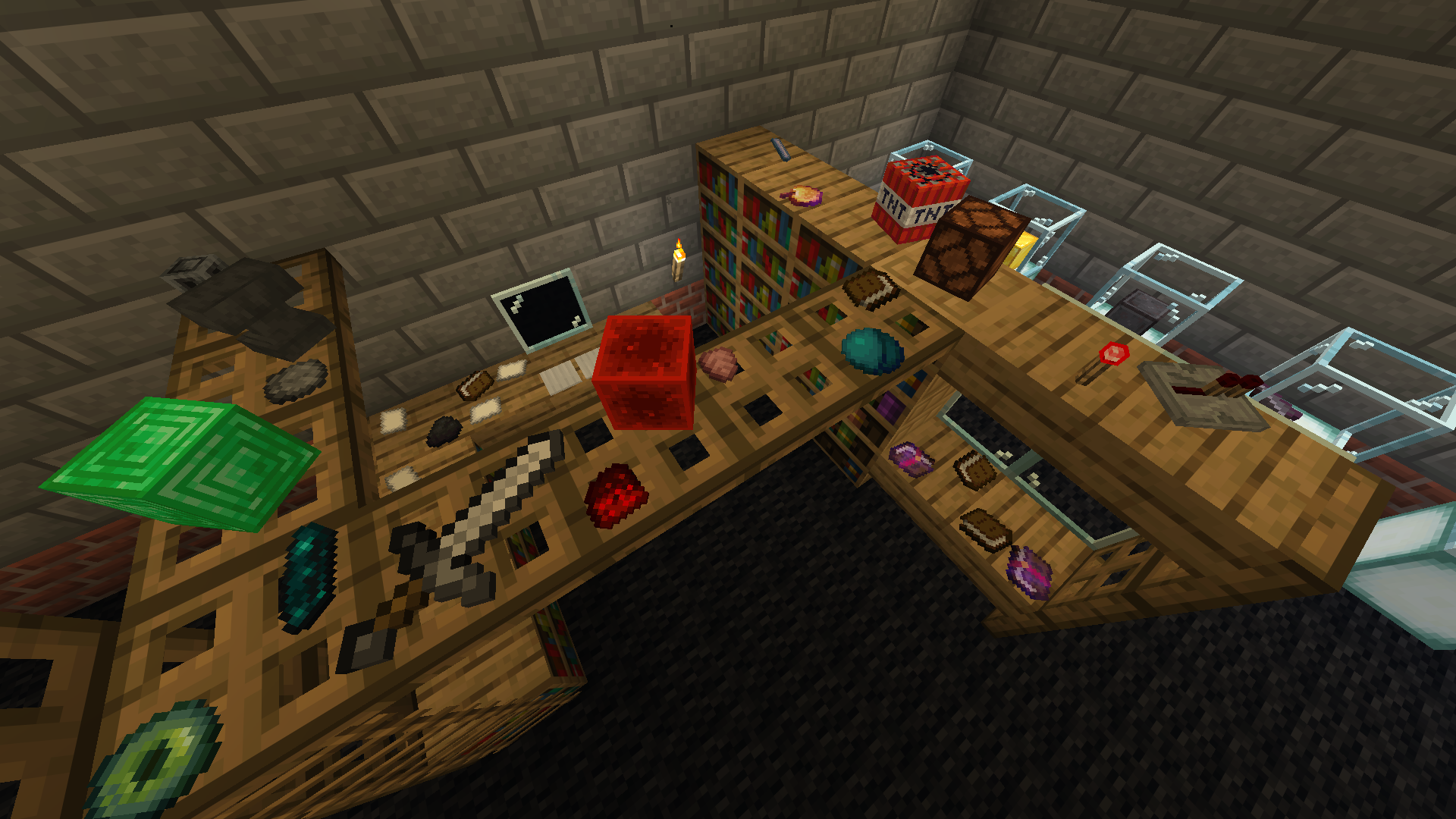
Display your items!
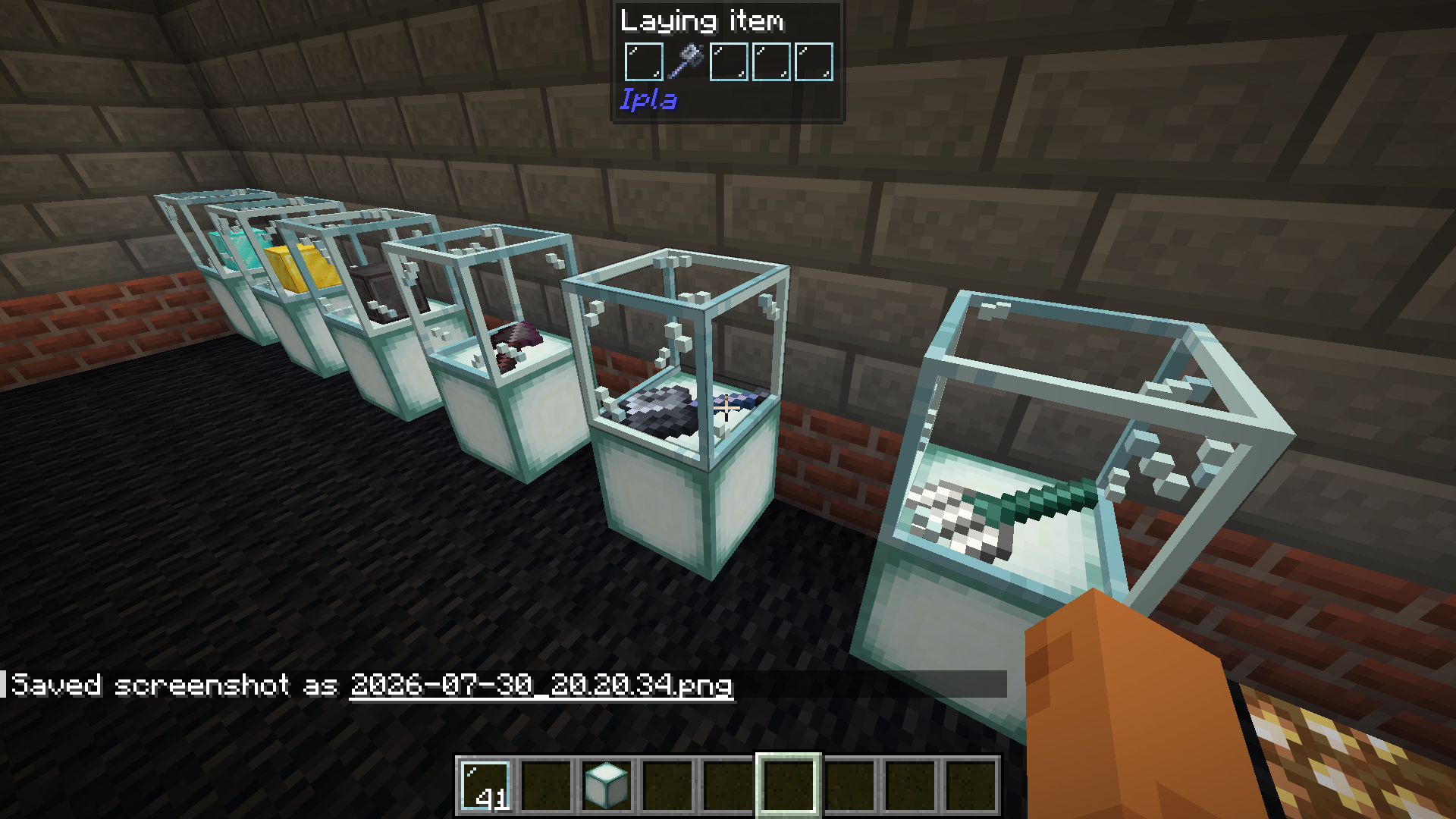
Dynamic items work.

Config
Block settings are in Config > More > Block render modes. Works from the main menu too, no world needed.
- Pick for every block (or a whole class at once, like all stairs or all leaves) if it lies on a face as a flat item or as a 3D model
- Move each block on X, Y and Z, one step is one texture pixel
- Rotate it around its own center, the in-game rotation still works on top
- Search through the block list, the preview shows how it will look
- On a server the admin sets the render modes, they are saved in config/ipla_modes.cfg and sent to everyone, hitboxes follow the mode
Versions (60)
| Version | Minecraft | Loaders | File |
|---|---|---|---|
6.5.1 |
26.3 | neoforge | download |
6.5.1 |
26.3 | fabric | download |
6.5.1 |
26.2 | neoforge | download |
6.5.1 |
26.2 | fabric | download |
6.5.1 |
26.1.2 | neoforge | download |
6.5.1 |
26.1.2 | fabric | download |
6.5.1 |
26.1.1 | fabric | download |
6.5.1 |
26.1 | fabric | download |
6.5.1 |
1.21.11 | neoforge | download |
6.5.1 |
1.21.11 | fabric | download |
6.5.1 |
1.21.10 | neoforge | download |
6.5.1 |
1.21.10 | fabric | download |
6.5.1 |
1.21.9 | neoforge | download |
6.5.1 |
1.21.9 | fabric | download |
6.5.1 |
1.21.8 | neoforge | download |
6.5.1 |
1.21.8 | fabric | download |
6.5.1 |
1.21.7 | neoforge | download |
6.5.1 |
1.21.7 | fabric | download |
6.5.1 |
1.21.6 | neoforge | download |
6.5.1 |
1.21.6 | fabric | download |
6.5.1 |
1.21.5 | neoforge | download |
6.5.1 |
1.21.5 | fabric | download |
6.5.1 |
1.21.4 | neoforge | download |
6.5.1 |
1.21.4 | fabric | download |
6.5.1 |
1.21.3 | neoforge | download |
6.5.1 |
1.21.3 | fabric | download |
6.5.1 |
1.21.1 | neoforge | download |
6.5.1 |
1.21.1 | fabric | download |
6.5.1 |
1.21 | neoforge | download |
6.5.1 |
1.21 | fabric | download |
6.5.1 |
1.20.4 | fabric | download |
6.5.1 |
1.20.1 | forge | download |
6.5.1 |
1.20.1 | fabric | download |
6.5.1 |
1.19.4 | forge | download |
6.5.1 |
1.19.4 | fabric | download |
6.5.1 |
1.19.2 | forge | download |
6.5.1 |
1.19.2 | fabric | download |
6.5.1 |
1.18.2 | forge | download |
6.5.1 |
1.18.2 | fabric | download |
6.4.7beta |
26.3 | neoforge | download |
6.4.7beta |
26.3 | fabric | download |
6.4.7beta |
26.2 | neoforge | download |
6.4.7beta |
26.2 | fabric | download |
6.4.7beta |
26.1.2 | neoforge | download |
6.4.7beta |
26.1.2 | fabric | download |
6.4.7beta |
26.1.1 | neoforge | download |
6.4.7beta |
26.1.1 | fabric | download |
6.4.7beta |
26.1 | neoforge | download |
6.4.7beta |
26.1 | fabric | download |
6.4.7beta |
1.21.11 | neoforge | download |
6.4.7beta |
1.21.11 | fabric | download |
6.4.7beta |
1.21.10 | neoforge | download |
6.4.7beta |
1.21.10 | fabric | download |
6.4.7beta |
1.21.9 | neoforge | download |
6.4.7beta |
1.21.9 | fabric | download |
6.4.7beta |
1.21.8 | neoforge | download |
6.4.7beta |
1.21.8 | fabric | download |
6.4.7beta |
1.21.7 | neoforge | download |
6.4.7beta |
1.21.7 | fabric | download |
6.4.7beta |
1.21.6 | neoforge | download |
Similar mods

Iris Shaders
irisA modern shader pack loader for Minecraft intended to be compatible with existing OptiFine shader packs

[ETF] Entity Texture Features
entitytexturefeaturesEmissive, Random & Custom texture support for entities in resourcepacks just like Optifine but for Fabric

VeinMiner
veinminerMine the whole vein on mining a single ore/block. Make the tedious mining experience to something satisfying and fun! FTB Ultimine alternative

Not Enough Animations
not-enough-animationsBringing first-person animations to the third-person

3D Skin Layers
3dskinlayersRender the player skin layer in 3d!

Continuity
continuityA Minecraft mod that allows for efficient connected textures